
Simple, clear steps for business owners who suddenly disappear from Google (Google Business Profile Suspended).
When your Google Business Profile gets suspended, it feels like your entire online presence got unplugged overnight. Your map pin disappears, your reviews go missing, and customers can’t find you. Most business owners panic—and honestly, that’s understandable.
But here’s the good news: A Google Business Profile suspension can be fixed. And in many cases, reinstatement happens faster when you know what triggered it.
Let’s walk through what to do step-by-step, why your Google Business Profile was suspended, and how to reinstate your Google Business Profile as quickly as possible.
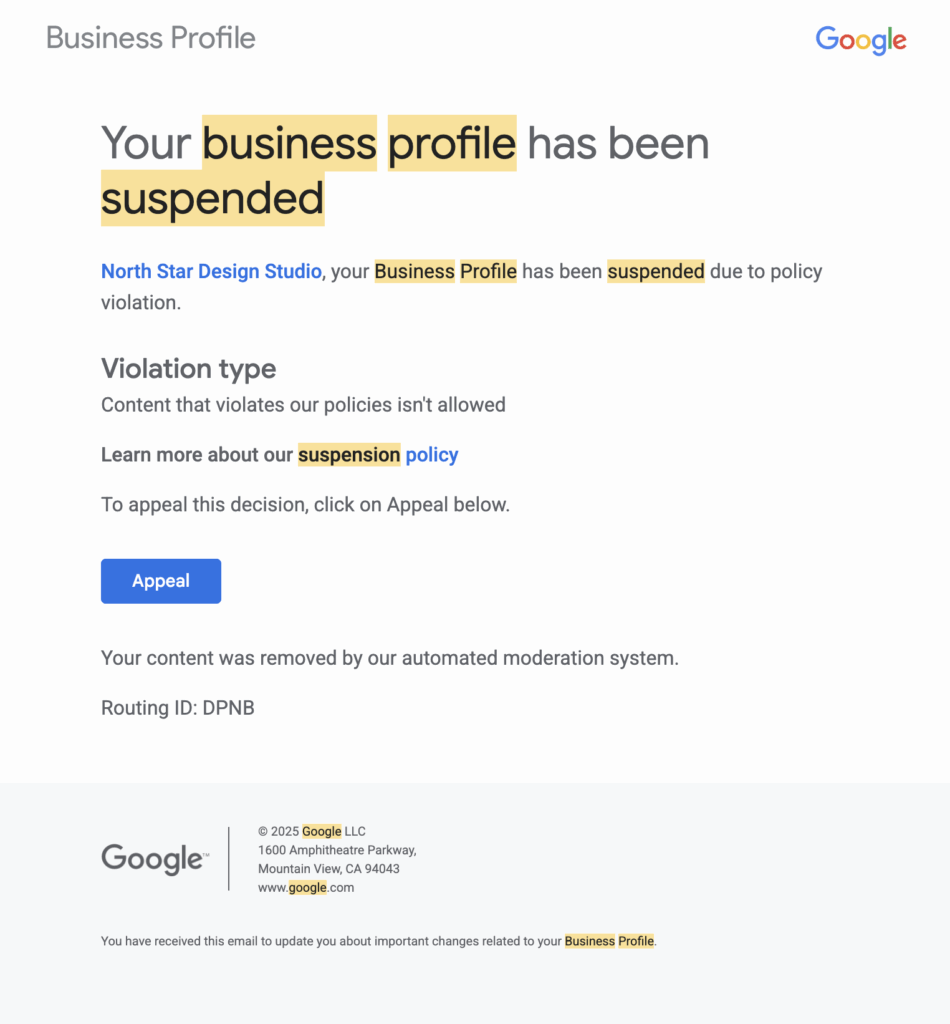
Understanding Your Google Business Profile Suspension
Google issues two types of suspensions. Knowing which one you have helps you set expectations.
Soft Suspension
Your listing is still visible on Google, but you can’t manage it. This usually happens when something in your business info doesn’t match Google’s guidelines.
Hard Suspension
Google removes your listing from Maps entirely. This happens when Google believes the business is violating policy—often flagged as Google Business Profile suspended for deceptive content.
Common Reasons Your Google Business Profile Was Suspended
Most suspensions are caused by completely normal business activities—nothing shady. Many business owners feel their profile was suspended for no reason, but there’s usually a specific trigger.
Here’s what causes Google Business Profile suspension most often:
1. Suspended for Address Issues
Especially common after moving locations or updating your business address. Google wants proof of your new location.
2. Suspended for Deceptive Content
This often includes:
- Keyword-stuffed business names (like “Best Locksmith in Milford CT – 24/7 Service”)
- Fake or stock photos
- Inconsistent information across your website or social profiles
- No visible signage or unclear business location
3. Suspended for Virtual Office or PO Box
Google does NOT allow virtual offices, coworking desks, mail centers, or UPS boxes unless you have verifiable, staffed, permanent space.
4. Suspended for Keyword Stuffing
Changing your business name to include keywords like “Best in Milford CT – Locksmith” triggers automatic flags.
5. Suspended After Updating Business Information
Making multiple edits in a short period—especially to your name, address, or category—can trigger Google’s automated review system.
6. Suspended “For No Reason”
This is extremely common. Google Business Profile suspended for no reason usually means Google hasn’t told you the cause, but it’s typically tied to:
- An edit you made
- A repeated change
- An automatic verification flag
- Inconsistent NAP (Name, Address, Phone) across the web
How To Reinstate Your Google Business Profile (Step-by-Step)
Here’s the process Google expects you to follow—even though they don’t explain it well. This is your complete Google Business Profile reinstatement guide.
Step 1: Fix Any Guideline Violations
Before appealing, make sure:
- Your business name uses only your real name (no keywords)
- Your address is correct and verifiable
- Your service area is appropriate
- Your photos are real and accurate
- You’re not using a virtual office or shared mailbox
If you operate a virtual business, you MUST hide your address and use a service area instead.
Step 2: Gather Documents to Prove Your Business Is Real
Google may request:
- ✓ Utility bill
- ✓ Business license or registration
- ✓ Lease agreement
- ✓ Insurance documents
- ✓ Storefront photos with permanent signage
- ✓ Photos of branded vehicles for service-area businesses
Everything must match EXACTLY: same business name, same address, same contact info.
Step 3: Submit the Google Business Profile Reinstatement Form
This form is the only official way to get your Google Business account suspended status reversed.
Your explanation should be:
- Honest
- Clear
- Short
Example: “We updated our business address after relocating. All documents now match the new location. Attached are photos of exterior signage and our lease agreement.”

Step 4: Wait 3–7 Days for Google’s Response
Google may:
- Reinstate your profile
- Ask for more documents
- Deny your request
If they need more info, respond quickly. This is critical for successful Google My Business suspension removal.
How Long Does a Google Business Profile Suspension Last?
Most Google Business Profile reinstatement requests take:
3–7 business days
But they can take longer if:
- Your documents don’t match
- Your business category is “high risk” (locksmith, towing, service-area businesses)
- You used a PO Box or virtual office
- This is a repeat suspension
If Google denies your request, you can still appeal. The Google suspension duration varies, but persistence with proper documentation usually works.
Why Your Google Business Profile Might Keep Getting Suspended
Some businesses get reinstated—only to get suspended again. If your Google Business Profile keeps getting suspended for deceptive content or other reasons, it usually happens when:
- You keep editing your profile repeatedly
- Your business name doesn’t match your legal name
- You share an office with another company in the same category
- Your online information (website, Facebook, LinkedIn) doesn’t match
- You operate a virtual business with no staffed location
- You’re using a service address that Google flags as suspicious
If this sounds like you, fix the underlying issue before submitting another Google Business Profile reinstatement request.
Special Rules: Google Business Profile for Virtual Businesses
Google does NOT allow:
- Virtual offices
- Shared coworking desks
- PO boxes
- UPS mailboxes
- Locations with no permanent signage
If you don’t serve customers face-to-face at a real, staffed office, you must:
- ✓ Hide your address
- ✓ Use a service area instead
- ✓ Add photos of equipment or branded vehicles
Trying to list a virtual office almost always triggers Google Business Profile suspension.
FAQ: Quick Answers to Common Suspension Questions
Why is my Google Business Profile suspended?
Most profiles are suspended due to changes in business info, address issues, keyword-stuffed names, deceptive content flags, or lack of signage.
How long does a Google Business Profile suspension last?
Google Business Profile reinstatement usually takes 3–7 days after you submit the reinstatement form, but can take longer if Google asks for additional proof. The Google suspension duration depends on your documentation quality.
Why does Google say my Business Profile is suspended for deceptive content?
This flag appears when:
- Your business name doesn’t match your legal name
- Your address can’t be verified
- Google suspects you’re using stock or filtered photos
- Your NAP information is inconsistent across platforms
How do I fix a Google-suspended account?
Correct violations, gather documents that prove your business is real, and submit the Google Business Profile reinstatement form with clear explanations.
Why was I suspended for “no reason”?
This happens when automated systems detect inconsistencies or risky edits. Google Business Profile suspended for no reason is common—and fixable with proper documentation.
Final Thoughts: You Can Recover Your Google Business Profile
A Google Business Profile suspension doesn’t mean you did anything wrong. Most businesses get suspended for simple, fixable issues.
Need a second set of eyes?
If your Google Business Profile reinstatement was denied—or if it keeps getting suspended—I can help review your setup and identify what’s triggering the issue. Whether it’s deceptive content flags, address problems, or virtual office complications, proper documentation and strategic corrections usually resolve suspensions.
Just let me know.